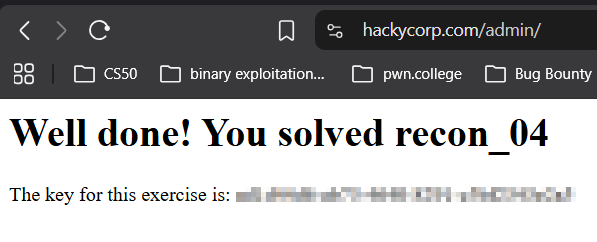
Interesting directories
- Try checking a few different common web folders before using bruteforce tools.
- As many websites use the same names, so a quick manual check can reveal something straight away.
Why do it manually first:
- It’s quiet as bruteforce tools send thousands of requests, which can trip alarms or get your IP blocked. A few manual visits look like normal browsing.
- We understand how the server responds, whether it’s a 404, 403, or a redirect. This information can help in configuring the tool correctly.
Common directories:
| Type | Examples |
|---|---|
| Admin panels | /admin/, /administrator/, /login/, /dashboard/, /manage/, /cpanel/ |
| Backups | /backup/, /backups/, /old/, /bak/ |
| Development / testing | /dev/, /test/, /staging/, /beta/, /demo/ |
| Uploads | /uploads/, /files/, /images/, /media/ |
| APIs | /api/, /api/v1/, /graphql, /swagger/, /docs/ |
| Source control | /.git/, /.svn/ |
| Config / server info | /.env, /config/, /server-status, /phpinfo.php |
| Common apps | /wp-admin/ (WordPress), /phpmyadmin/ |
What the response tells you:
- 200: it’s there, so go look.
- 403 Forbidden: it exists but you’re blocked. it’s still a clue.
- 301/302 redirect: often means the folder exists, for example
/adminredirecting to/admin/or to a login page.
Objective
find a directory that is commonly used to manage applications.